




Key Features of Pippit's AI Avatar Generator
Discover the professional-grade features that set our platform apart in the world of digital creation.

Seamless Video-to-Avatar Transformation
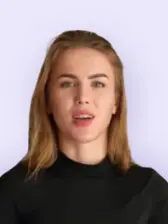
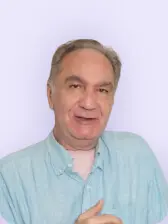
With Pippit's AI avatar generator free feature, you can upload any video and instantly transform it into a lifelike AI avatar. Using advanced video to avatar technology, the system analyzes your video and voice to create a realistic avatar that mirrors your speech, facial expressions, and movements. As a powerful custom avatar maker and AI avatar video generator, Pippit stands out among AI avatar generators with a rich template library, making it easy to produce engaging avatar videos for marketing, education, or social media. If you're looking for an AI video generator free online, Pippit offers a simple and efficient AI video generator to help you create professional avatar content in minutes.

Customize Avatars with Scripts, Voices & Effects
Pippit's AI avatar video generator gives you full creative control over your avatar content. Easily edit scripts, select different languages, and personalize visuals with background changes, voice options, effects, filters, and animations. Pippit's talking avatar creator helps you produce engaging, helping you create engaging and lifelike AI avatar videos that match your brand style. Whether you're transforming video to avatar content or using an AI video generator free online, Pippit makes it simple to produce professional avatar videos for marketing, education, and social media.

Custom Avatar Video Templates for Every Use
Pippit offers AI avatar generators with a rich template library, providing a wide range of customizable avatar video templates designed for marketing, training, and social media content. With its powerful AI avatar video generator, you can easily choose a template, create or personalize your AI avatar, edit scripts, adjust visuals, and add effects to match your brand style. As an AI avatar generator free and AI video generator free online, Pippit also makes it simple to convert video to avatar content and produce polished, engaging avatar videos that look professional and feel natural.
How to Create Your AI Avatar Video with Pippit
Step 1: Access Avatars and voices
1. Log in to Pippit and click "Avatars and voices" from the left toolbar
2. Click on the "+" to upload your image to create an avatar video.
3. Drag and drop your selfie video in MP4 or MOV format. Ensure video resolution is 720p or 4K and size is under 1 GB.
Step 2: Upload the consent video and submit
1. Record and upload a consent video where you read the provided script to authorize Pippit to use your footage for creating an AI avatar with its AI avatar generator.
2. This step is mandatory to ensure the legal and ethical use of your likeness when generating content with the AI avatar video generator.
3. Once both videos are uploaded, submit the request to start the video to avatar creation process.
4. Pippit will process your submission using its powerful AI video generator free online, and your avatar will be ready in about 60 minutes.
Step 3: Customize your avatar and export
1. Once your AI avatar is generated, personalize it using Pippit's powerful AI avatar generator and advanced editing tools.2. Easily edit scripts to match your style, timing, and content needs when creating videos with the AI avatar video generator.3. Select from multiple languages to reach a global audience with your avatar content.4. Click "Edit more" to further enhance your AI avatar by adjusting backgrounds, voice options, effects, filters, and animations.5. When your video is ready, click "Export video" to download the final content created with the AI video generator free online to your device.


Explore the Applications of Pippit’s AI Avatar Generator
Discover how Pippit's AI video generator empowers teams to create high-impact content across every department.

Employee Training
Use Pippit's AI avatar generator to transform video to avatar content, turning traditional training videos into engaging sessions led by a realistic AI avatar. Powered by an advanced AI avatar video generator, it helps deliver consistent and professional instruction to every employee—ideal for onboarding, compliance training, and skill development. With this scalable AI video generator, organizations can easily expand training programs across departments and multiple locations.

Marketing Content
Create more engaging campaigns with Pippit's AI avatar generator free tools. Instead of generic stock footage, use branded AI avatars to present products, explain features, or deliver marketing messages. This keeps marketing videos engaging, on-brand, and easier to localize for different regions using the same script structure.

Personalized outreach
Sales teams, educators, and support professionals can use Pippit’s AI video generator free online to create customized AI avatar videos using a base video and simple client data. With the help of the AI avatar video generator, you can quickly produce personalized outreach, follow-ups, or festive greetings—maintaining a consistent visual style while tailoring each message to its recipient.
Frequently Asked Questions
How can I convert a video to avatar using Pippit?
With Pippit, converting video to avatar is simple and fast. Just upload your video, and the platform's advanced AI avatar generator will analyze your content to create a realistic AI avatar. Using the powerful AI avatar video generator, you can customize the avatar's appearance, add voice, and refine the script before exporting your video. As an AI video generator free online, Pippit provides an intuitive interface and flexible editing tools, making it ideal for businesses, educators, and creators who want to scale content production efficiently.


