


State-of-the-Art Features

Text-to-Speech
With our AI free voice generator, you can turn any AI text into voice right away. Type in what you want to say and choose a voice. Your character will start to talk. The voices sound like real people with real feelings, accents, and ways of speaking. Good for ads on social media, product demos, tutorials, and videos that explain things. You can change the pitch, speed, and tone to fit the style of your brand.

Custom Avatar
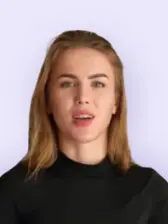
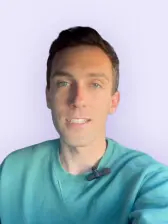
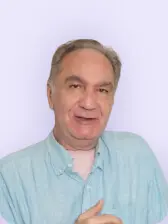
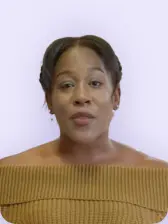
Upload your photo or short video clip, and our AI voice avatar tool captures your look and creates a lifelike digital version of you that speaks and moves naturally. You can make professional studio-quality avatars or casual ones for social media. You can pick from more than 80 different options or make your own from scratch. Great for branding, marketing videos, training materials, and personalized messages on all platforms.

Hyper-Realistic Movements
Every avatar comes to life with realistic facial expressions, body language, and small gestures that make them feel like people. They smile, blink, move their eyes, and change their posture. Pippit's AI avatar maker can pick up on small things like raising your eyebrows, tilting your head, and moving your mouth in time with your speech. This makes them perfect for telling stories, explaining products, and helping customers on any platform.

Multilingual AI Voices
Reach people around the globe with over 50 AI voices that speak more than 28 languages on Pippit. Each voice sounds like an actual person talking, with their own accent, way of speaking, and unique tone. Perfect for creating marketing videos, teaching materials, and promo campaigns that reach audiences worldwide. Grab people's attention instantly with content in multiple languages that connects with viewers no matter where they are

Avatar to video generation
With Pippit's AI video generator, you can use Sora 2 or Seedance 2.0 models to bring AI characters to life. Simply type your script, select your preferred avatar, and let the AI create a video with natural movements, realistic expressions, and lifelike speech. Whether you need a corporate presenter, friendly influencer, or expert educator, your chosen avatar will deliver your message with authentic gestures and emotions.

Background Removal
Easily separate avatars from their backgrounds with one click to get full control. Swap backgrounds to match different platforms, brand settings, or video templates without extra editing tools. The AI handles tricky edges and fine details really well, so your videos always look clean. Change backgrounds instantly to match your clean studio vibe, outdoor lifestyle scenes, or anything in between that fits your campaign.
Best uses of Pippit's AI avatar and voices

Marketing & Advertising Videos
Create product demos and promotional content using our AI avatar generator with customizable backgrounds. Use digital presenters who speak naturally and connect with your target audience to show off your products. Great for ads on social media, telling stories, and campaigns that need to send the same message over and over.

E-Learning & Training Content
Build engaging educational videos with our AI avatar generator, offering multilingual support. Deliver course materials, employee training, and tutorials that keep learners engaged across different countries and cultures. The natural-sounding voices and relatable avatars make complex topics easier to understand.

Customer Support & Explainer Videos
Use Pippit's AI avatar software with advanced facial expression controls to make videos that answer frequently asked questions and show people how to do things. Using natural emotions and gestures makes it easy for customers to follow instructions and trust you. Great for FAQs, troubleshooting guides, and other support content.
Create and use AI avatars in your videos
Step 1: Upload your image
1. Sign up for a free account on Pippit to access the homepage.
2. Under "Creation," look for "AI avatars and voices" and click to open it.
3. Click "+" to upload your photo from your PC or other sources.
4. Crop the image to only cover the face area and click "Done" to confirm.
Step 2: Generate the avatar
1. Click the checkbox to confirm you have the right to use the image and click "Next."
2. Set the avatar name and select the AI voice.
3. Click "Next," and Pippit starts generating your avatar.
4. It may take some time to animate the image.
Step 3: Add script and create video
1. Hover over the generated avatar and click "Apply."
2. Click "Edit," type or paste your script, and select the language.
3. Click "Edit more" to open the avatar video in the editing space and edit it further.
4. You can also click "Export video" and save the Avatar video on your PC in your selected resolution, quality, and format.


Quickly generate custom AI voice for your videos
Step 1: Open AI avatars and voices
1. Create a free account on Pippit using Google, Facebook, or TikTok info.
2. Go to "Avatars and voices" from the left menu panel.
3. Scroll down and click "Create new" under "Custom voices."
Step 2: Record your voice
1. Click "Settings" in the pop up window to select the input device.
2. Set the "Input gain" and turn on "Monitor input audio" (optional).
3. Click "Record" and read out loud the on-screen paragraph.
4. You can also click "Start over" to re-record the audio.
Step 3: Generate and use AI voice
1. When done, click the "Stop" button.
2. Click "Create" and wait for Pippit to generate your AI voice.
3. Hover over the generated voice and click "Use."
4. This will open up the editor where you can use the AI voice for your Avatar.


Create Natural AI Voices Instantly in Any Language


Frequently Asked Questions
What are the best AI avatar services with customizable voice tones?
Pippit is one of the easiest AI avatar services to customize right now. You can adjust how high or low the voice sounds, how fast it talks, what emotions it shows, and the overall style. The platform lets you fine-tune exactly how your avatar sounds, so it works perfectly for everything from serious business presentations to laid-back social media videos.